Effrix Blog
gPlayer and HaloNotch: Telegram on your TV and a hub in your Mac notch
By Abin Sabu · 1 November 2026
Effrix makes two apps. gPlayer plays the videos, photos and documents in your Telegram account on Fire TV and Android TV, using nothing but the remote. HaloNotch turns the notch on a MacBook into a panel for your calendar, music, clipboard, weather and more. Both are free, both are open source, and neither shows ads. Here is what each one does and how to choose the right version.
gPlayer: your Telegram media on TV
Telegram keeps a lot of video: saved clips, channel uploads, files friends send you. On a TV, though, there is no Telegram app built for the remote. gPlayer fills that gap. It signs in with your own Telegram account through Telegram's official TDLib library and lays out your chats, channels and Saved Messages as a grid you move through with the arrow keys.
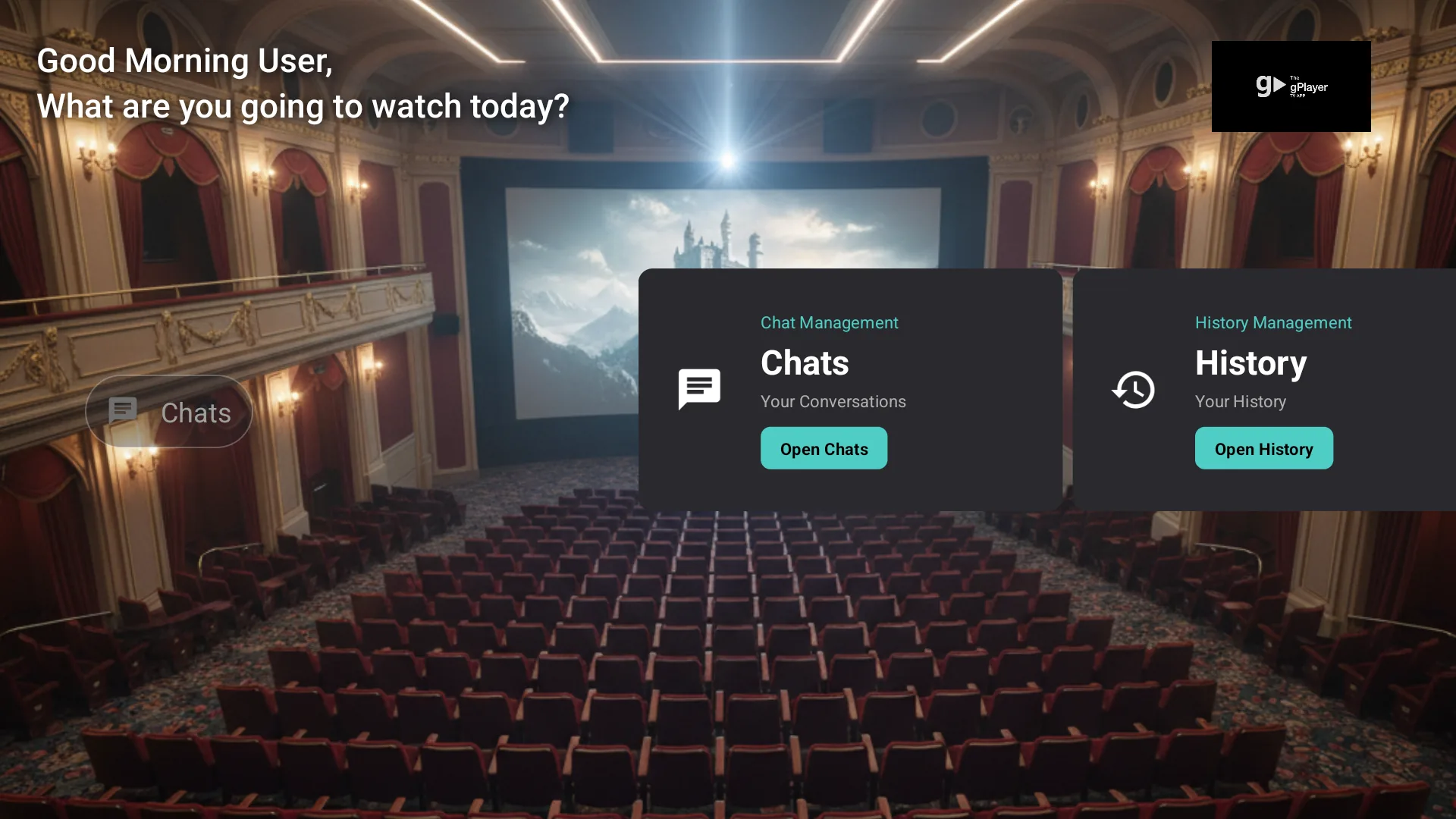
- Remote-only. Browse and play without a keyboard or mouse.
- Large files. Playback is tuned for big Telegram videos on TV hardware.
- Your media only. gPlayer shows what is already in your account: your chats, the channels and groups you belong to, and Saved Messages. It does not download from other sites.
- Private. Your login and media go directly between the app and Telegram. Effrix does not receive or store them.
Signing in
- Enter your Telegram phone number with the remote (without the "+").
- Telegram sends a code to your phone or another logged-in device.
- Enter the code in gPlayer. Your media appears on the TV.
To sign the TV out later, open Telegram on your phone and go to Settings → Devices, select the session and tap Terminate.
Which gPlayer edition should you install?
gPlayer is on the Amazon Appstore in two editions, plus a direct APK download.
| Edition | What it is | Get it |
|---|---|---|
| Edition 2 · Advanced gPlayer Media Player | The advanced version for all devices. New login features are coming soon. | Amazon |
| Edition 1 · Lite gPlayer for Fire TV | A lightweight Telegram player. | Amazon |
| APK v3.4 | For sideloading on Android TV, Google TV or Fire TV. | Download |
Most people should install Edition 2, the advanced version. Choose Edition 1 if you want a lighter, simpler player. On Android TV or Google TV, where the Amazon Appstore isn't available, use the APK. For a step-by-step comparison of every way to get Telegram onto a TV, read how to watch Telegram videos on Fire TV.
HaloNotch: your MacBook notch, now a hub
The notch on a MacBook is dead space most of the time. HaloNotch puts it to work: hover over it and it opens into a panel showing what's next on your calendar, what's playing, the weather, your clipboard, screen time and files, all without switching windows. On Windows, a thin handle at the top centre of the screen does the same job.
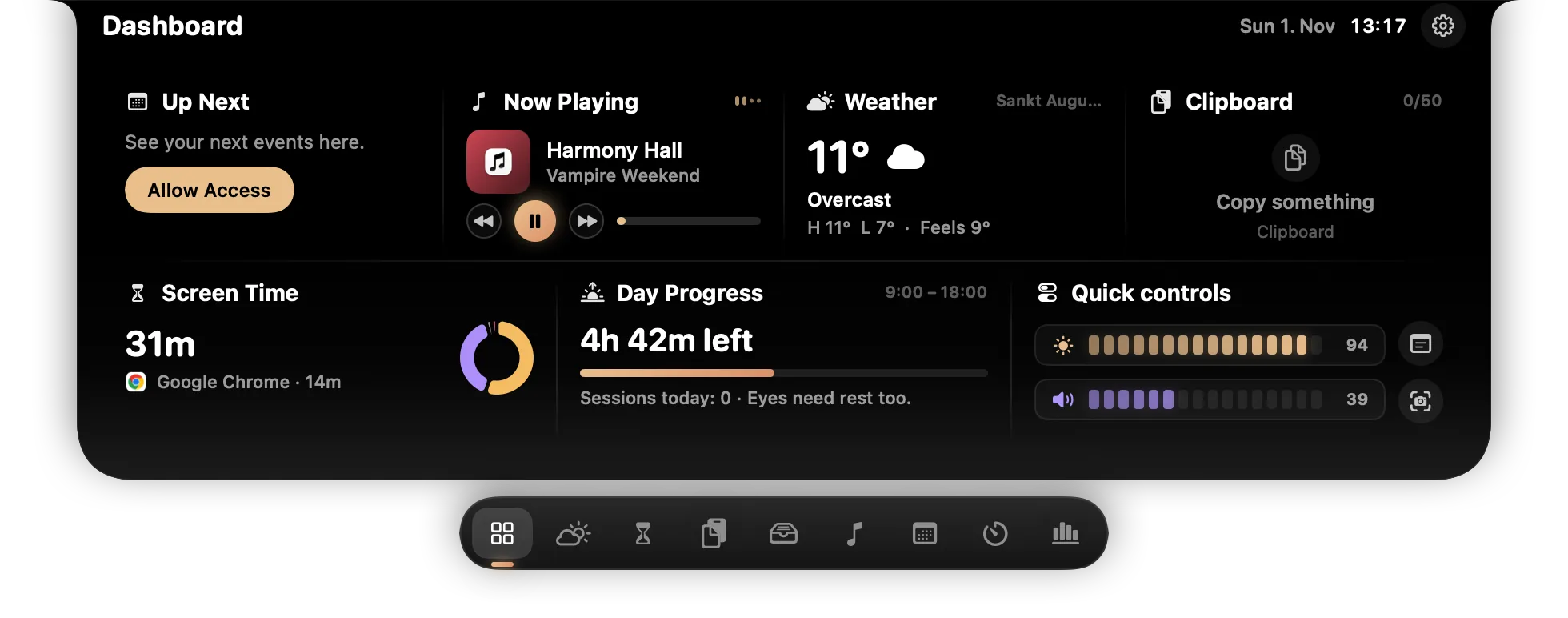
It has ten tabs, plus a volume and brightness HUD:
- Dashboard: up next, now playing, weather, clipboard, screen time and day progress at a glance.
- Clipboard and Vault: your last 50 copies (text, code, links, files, colours), with pinning, search and a PIN-protected Vault for secrets. Shortcut ⌃⌥V on Mac, Ctrl+Alt+V on Windows.
- Weather: now, the next 12 hours and 7 days.
- Screen Time: time per app and category, app switches and activity by hour.
- Files: drag files onto the notch to park them, then drag them out again. Your latest screenshots are there too.
- Media: now playing with controls and an equalizer (Spotify and Apple Music on Mac; any player on Windows).
- Calendar: a month view with a Join button for Teams, Zoom and Meet.
- Reminders: the notch opens when one is due.
- Tools: focus timer, quick notes and a camera mirror.
- Usage: Claude Code and Codex token usage from local logs, if you turn it on.
Your data stays on your Mac
Clipboard history lives in memory, and copies that password managers mark as concealed are never stored. Vault secrets are encrypted with your PIN (PBKDF2-SHA256 and AES-GCM) and lock after five minutes, on sleep and on screen lock. The only thing that leaves your computer is an approximate location, or the city you type, sent to Open-Meteo for the forecast. The panel also hides itself from screen shares and recordings. The details are in the HaloNotch privacy policy.
Installing
HaloNotch 1.1 runs on macOS 14 or later on Apple silicon and Intel Macs. A Windows preview (0.2.0) runs on Windows 10 and 11, x64 and ARM64. Downloads come from GitHub. The builds are not signed with a paid certificate, so the first launch shows a warning: on a Mac, allow it under System Settings → Privacy & Security → Open Anyway; on Windows, choose More info → Run anyway. See how HaloNotch compares with NotchNook, Boring Notch and DynamicLake.
What both apps have in common
- Free, with no ads.
- Open source. gPlayer is MIT licensed; HaloNotch is built on Tenfold by Siva (MIT). Read the code, file a bug or send a pull request on GitHub.
- Private by default. gPlayer talks only to Telegram, and HaloNotch keeps your data on your computer.
Questions or ideas? Email firegram2025@gmail.com.